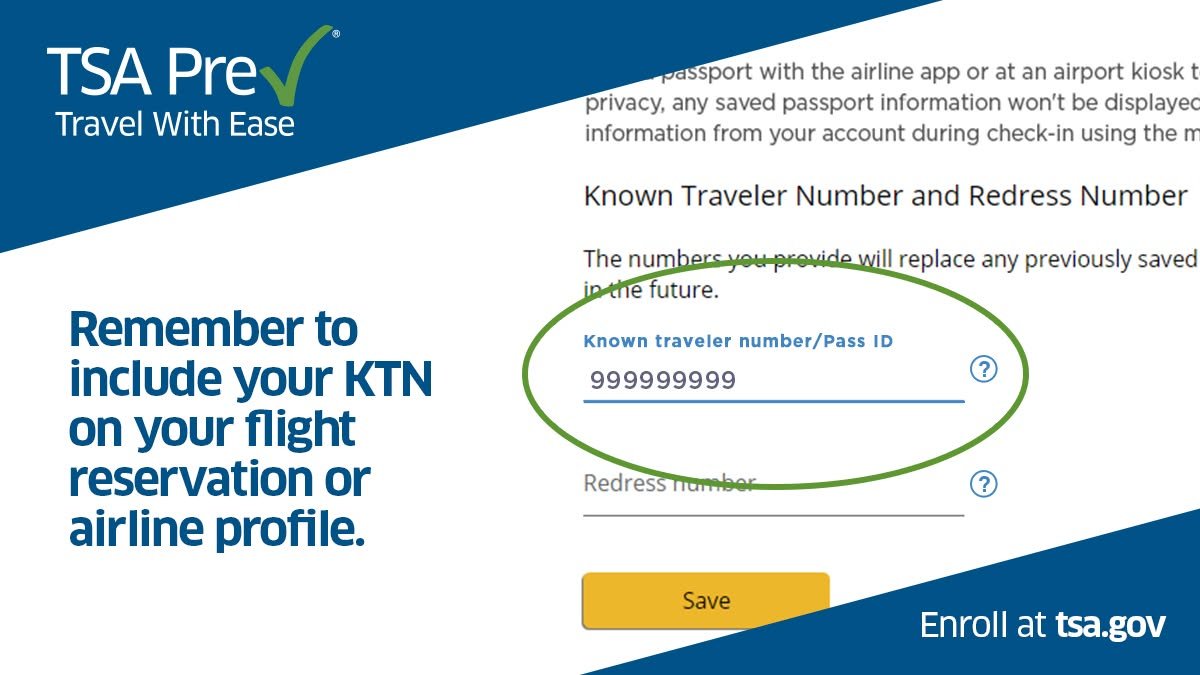
TSA PreCheck missing from the boarding pass you just downloaded? Open the airline’s record for this flight and check the Known Traveler Number (KTN) against your current membership. Then check the name and date of birth in the reservation. A correct frequent-flyer profile can still leave an older booking with missing information.
Quick answer. Verify active membership, the number entered for this passenger and the personal details in the specific reservation. Ask the airline to correct the record where possible, then obtain a fresh boarding pass. Expedited screening is never guaranteed. If time is short and the indicator remains absent, allow time for standard screening.
Table of contents: TSA PreCheck missing at check-in? Check the actual pass · Match your reservation to your enrollment · Work through a day-of-travel example · Common mistakes in the security queue · Pro tips for repeat failures · FAQ · Check each newly issued pass
TSA PreCheck missing at check-in? Check the actual pass
Find the boarding pass for the correct traveler, departure airport and flight date. An itinerary receipt or booking confirmation does not show your final screening status. On a multi-passenger reservation, the airline app may open the first person’s pass even when you last viewed your own.
Look for the TSA PreCheck indicator in the airline’s boarding-pass display. A frequent-flyer tier, priority boarding group or paid priority service refers to a different part of the journey. If you usually use a mobile wallet, open the airline app as well. It may have newer information than a screenshot or pass saved earlier.
Next, check whether the departure airport and airline participate and whether a dedicated lane will be operating at your checkpoint. The indicator on your pass and the operating hours of a lane are separate questions. If the pass has the indicator but the lane is closed, ask the TSA officer where to go.
Match your reservation to your enrollment
- Find the number at its source. Use your enrollment provider or trusted traveler account to confirm the number and membership status. Eligible Global Entry members use their nine-digit PASSID as the KTN. A passport number, airline loyalty number or redress number serves a different purpose.
- Open the booked trip. Find traveler information for this flight in the airline app or website. Compare the number character by character in the Known Traveler Number field. On a family booking, check that each number belongs to the passenger whose record you are viewing.
- Compare the identity details. Check your name and date of birth against the enrollment record and identification you will use to travel. Pay attention to a changed surname, two family names or reversed month and day. Ask an agent to check the underlying data if the display abbreviates your name.
- Request an updated pass. After the airline saves the correction, follow its instructions to refresh or reprint the pass. Reopen the specific flight in the app and check the indicator again. A new screenshot of the original pass contains the same old information.
If you find TSA PreCheck missing on a ticket booked by your employer, check both the agency’s traveler profile and the airline reservation. Updating the agency profile helps the next booking. For today’s trip, ask who can send the corrected details through to the carrier that checks you in.
Work through a day-of-travel example
Imagine two colleagues checking in for a US domestic flight. One booked directly and has the indicator. The other sees TSA PreCheck missing even though their airline profile contains a KTN. Their company booked the ticket two months earlier, before they added the number to their profile. The trip’s own KTN field is blank.
The traveler adds the verified number to the existing trip while online changes are available, saves and opens a newly issued pass. If the indicator appears, that resolves this booking. If it does not, an agent can verify the data and advise on the remaining options while there is still time to reach security.
| Issue Discovered | Who Can Fix It | What to Do Next |
|---|---|---|
| Blank or wrong KTN on a booked flight | Your airline or travel arranger | Add the number via Manage Reservation or ask an agent to update the booking, then refresh your boarding pass. |
| Outdated name on a TSA PreCheck profile | Your enrollment provider (e.g., IDEMIA, Telos, CLEAR) | Submit a name-change request with supporting legal documents through your provider’s portal. |
| Wrong personal details in Global Entry | U.S. Customs and Border Protection (CBP) | Update your record via the Trusted Traveler Programs (TTP) dashboard or visit an enrollment center. |
| Matching details & active membership, but indicator still missing | Transportation Security Administration (TSA) | Have the airline verify your reservation data first; if issues persist across flights, contact TSA support. |
Airlines set their own cutoffs for online changes. For example, Southwest tells travelers to add the number in Manage Reservation at least 60 minutes before departure and then refresh or reprint the pass. Check your own carrier’s instructions. Southwest guidance for a missing PreCheck indicator.
Common mistakes in the security queue
Showing a membership card as a substitute. When an adult finds TSA PreCheck missing, a trusted traveler card alone does not put the indicator on the boarding pass. An airline agent can review the booking. The checkpoint officer determines how screening proceeds under the available arrangements.
Typing a KTN into the redress field. The field labels may sit beside one another, particularly in a corporate booking tool. A redress number concerns a different DHS process. Move the membership number into its designated field and confirm it saved against the intended passenger.
Forgetting the departure deadline. If sorting out TSA PreCheck missing from the pass could cost you the flight, head for the appropriate screening route. Bag-drop, boarding and gate-closing deadlines still apply. Keep your case details and address a recurring data problem after travel.
Pro tips for repeat failures
Write down the airline, flight date, booking channel and whether the carrier verified the KTN for that particular flight. If you keep finding TSA PreCheck missing with only one travel agency, reproduce the comparison on a booking made elsewhere. That can narrow the question to an agency profile or data-transfer problem.
Send personal details through official private channels. TSA can help with a missing indicator, expiration date or KTN lookup. Your enrollment provider handles changes to personal data on a TSA PreCheck membership. Follow the correct program’s route for any name change that needs supporting documents. TSA’s guide to which organization handles each question.
FAQ
Why is TSA PreCheck missing when my companion received it?
Each adult’s reservation and eligibility are assessed separately. Check your passenger record for the number and personal details used at check-in, even when the two tickets share a confirmation code. One companion’s indicator does not establish which screening status the other passenger has received.
Will saving a KTN to my profile fix an existing booking?
Check the trip itself after updating the profile. If the existing reservation still has an empty KTN field, add the number there or contact the airline. After the carrier processes the change, obtain a current boarding pass and check that specific flight for an indicator.
What if I see TSA PreCheck missing on my teenager’s pass?
For travelers aged 13 through 17 accompanying an enrolled parent or guardian, the child generally needs to be on the same reservation and have the indicator on their own boarding pass to use the dedicated lane. Check the child’s pass and ask an officer about the available route.
Can a traveler with a correct KTN still receive standard screening?
Yes. Screening can vary from trip to trip even with an active membership and accurate reservation. If the airline confirms all the details match and a refreshed pass still lacks the indicator, plan for standard screening that day. Contact TSA if the issue repeatedly affects your travel.
TSA PreCheck Missing From Your Boarding Pass? How to Fix It Fast
Quick Fix: Open your airline’s app (not a saved screenshot or wallet pass), go to Manage Reservation, and verify that your Known Traveler Number (KTN), full legal name, and date of birth match your Trusted Traveler profile exactly. Save any edits, refresh or reprint your boarding pass, and check for the indicator again. Note: Because TSA PreCheck is never guaranteed on any single flight, allow time for standard screening if the badge still doesn’t appear.
Check each newly issued pass
A rebooking can give you a new flight, a different carrier and a fresh boarding pass. Check it when issued. If you see TSA PreCheck missing, start with the booked passenger’s KTN while an agent still has time to review it and you still have time to reach the gate.