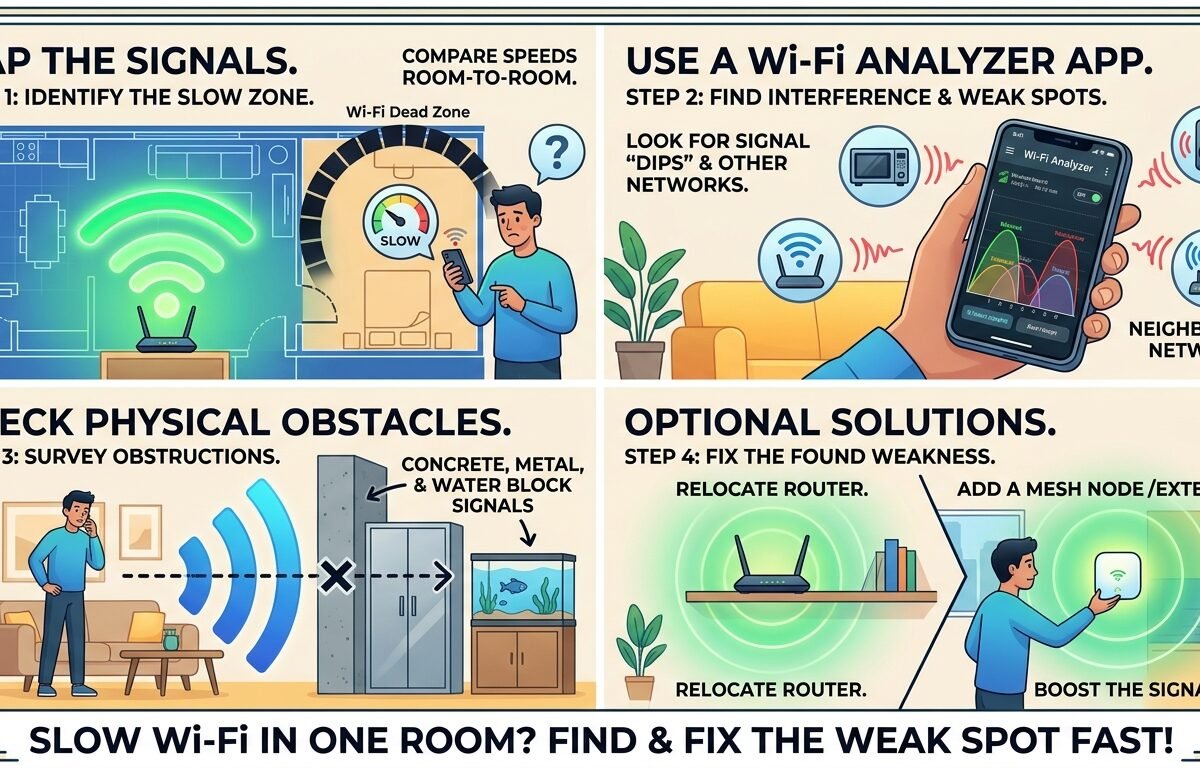
Slow Wi-Fi in one room calls for a short walk with the same device. Run a test beside the router, then at the spot where calls freeze or pages stall. A repeatable difference tells you more than the speed printed on your UK broadband bill, especially if the trouble starts just beyond one wall.
Quick answer. Test near the router, at the doorway and at the problem desk. If only the last spot is poor, try a small placement change and retest before buying equipment. A wired test at the router helps distinguish the home wireless link from the broadband connection. Ofcom’s broadband and Wi-Fi troubleshooting guide.
Table of contents: Test slow Wi-Fi in one room on a fair route · Read a room-by-room example · Choose a fix that reaches the desk · Common mistakes when the signal looks strong · Pro tips for mixed results · FAQ · Make the next call the final test
Test slow Wi-Fi in one room on a fair route
Pick the device that usually struggles. Check it is connected to your own wireless network and turn off mobile data for the test if it is a phone. Otherwise it might quietly fall back to a good mobile connection in the weak room. Restore your normal settings when you finish.
Start a simple log. For each location, record the time, download and upload speeds, and delay or latency if the test reports it. Note anything competing for bandwidth, such as a large cloud backup. A speed test uses data itself, so avoid running tests on two devices simultaneously.
- Test at a normal seated distance in the router room. Record two results and the name of the test service. If the first two differ greatly, do a third and note the spread.
- Repeat at the doorway to the problem room. Use the same device and service and keep any work VPN in the same state. The aim is to change the location while keeping the rest of the test comparable.
- Settle in the actual working position. Test again with the laptop on its usual desk and the door in its usual position. Then try the call or upload that originally exposed the problem.
- Repeat the route in reverse. If the router-room result has also fallen sharply, a change elsewhere in the home or connection may explain part of the apparent room difference.
Read a room-by-room example
Consider a terraced house with a router downstairs by the front window and an upstairs desk behind a chimney breast. The figures below are illustrative measurements taken minutes apart. They show why testing only beside the router or only at the desk gives an incomplete picture.
| Position | Download | Upload | Observed Call |
|---|---|---|---|
| Front room beside router | 91 Mbps | 18 Mbps | Clear |
| Upstairs landing | 68 Mbps | 14 Mbps | Clear |
| Desk behind chimney breast | 9 Mbps | 2 Mbps | Video freezes |
| Desk moved towards doorway | 32 Mbps | 9 Mbps | Clear on retest |
Here, slow Wi-Fi in one room improves without changing the broadband package. Moving the desk costs nothing and gives the resident a useful placement clue. The rates are examples, so use your own application as the pass test. A connection that handles audio may struggle with a large file upload.
If the front room is also poor, connect a suitable laptop to the router with Ethernet and disable its Wi-Fi during that test. A good wired result points you back towards the wireless setup or device. Poor wired results at several times give you something concrete to discuss with the provider.
Choose a fix that reaches the desk
Move the router into the open if it is sitting behind a TV or on the floor inside a cabinet. A higher shelf and a little clearance may help. Work within the length and type of the existing cables. Move a nearby metal obstruction or the laptop before attempting to relocate a fixed fibre termination.
If your equipment lets you compare Wi-Fi bands, test them at the desk. The 2.4 GHz band often reaches further through a property, while 5 GHz can perform better nearby. Interference and device capability affect the outcome. Keep the band that supports your actual task reliably, or let the router manage bands automatically.
For a fixed desk, a safe Ethernet run to the device or a wired access point can bypass the difficult wireless path. If you need a wireless extender or mesh unit, try a landing with a sound connection back to the router. A unit in the weakest corner can inherit the same poor upstream connection.
When buying equipment to fix slow Wi-Fi in one room, check what your broadband provider already supplies, whether extra units carry a monthly charge and how to return them. Powerline equipment uses household electrical wiring, so performance depends on that wiring. Ofcom’s comparison of home Wi-Fi options.
Common mistakes when the signal looks strong
Relying on signal bars. Bars say little about upload speed, interference or congestion. Slow Wi-Fi in one room can coexist with several bars, particularly if the phone has a strong link to an extender that has a weak link back to the router.
Changing five settings at once. After a router move, channel change and software update, a good result tells you little about which change helped. Change one thing, repeat the route and take a note. That pays off if tomorrow’s video meeting starts freezing again.
Ordering faster broadband on the first bad result. A new package might improve a slow wired connection, but it cannot move a solid wall. If slow Wi-Fi in one room is the whole complaint and the other rooms are fine, locate the loss before changing your contract.
Pro tips for mixed results
Try a second device at the same desk once the first test is complete. If one laptop repeatedly fails while a phone works, check the laptop’s updates, adapter capabilities and network connection. A work device may have an enforced VPN. Keep its required protections in place and take the comparison to IT.
If evenings bring slow Wi-Fi in one room, repeat a wired check and the wireless route at the same time on another day. Note what the household was doing. A backup that saturates the upload can disrupt a video call even when the download result on the package looks generous.
FAQ
How do I test slow Wi-Fi in one room without Ethernet?
Use one device to compare the router room, the problem desk and a spot between them. Repeat the route and try a second device separately. You can identify a location-dependent issue this way, although a wired check gives the provider better evidence when every room performs poorly.
Can a new router fix a single upstairs dead spot?
It might if the old router has limited coverage or poor placement, but the floor and walls still shape the link. First move the current router or desk slightly and repeat your tests. A wired access point or well-positioned mesh unit may serve the room more consistently.
Where should I plug in a wireless extender?
Start at a socket where the router still gives a usable connection and the extender can reach the difficult room. A landing or hallway is worth testing. Compare performance at the desk before and after installation, including an upload or call during the time you need it.
Why is my work call poor when a speed test looks fine?
A short test can miss intermittent delays or packet loss. Video calls also use the upload path, and a work VPN or the conferencing service can affect performance. Compare the same call near the router and at the desk, and record times when the disruption happens.
Make the next call the final test
Once slow Wi-Fi in one room improves, repeat the task that mattered from the original chair at the usual time of day. Keep a note of the working position and equipment. You then have a baseline if furniture moves, a new router arrives or the problem returns.